From Roof to Report
Here’s what your QA inspection process can look like with a custom EBS-Inspector app.
Double click on images to Zoom.
1. Add a project and upload a roof plan
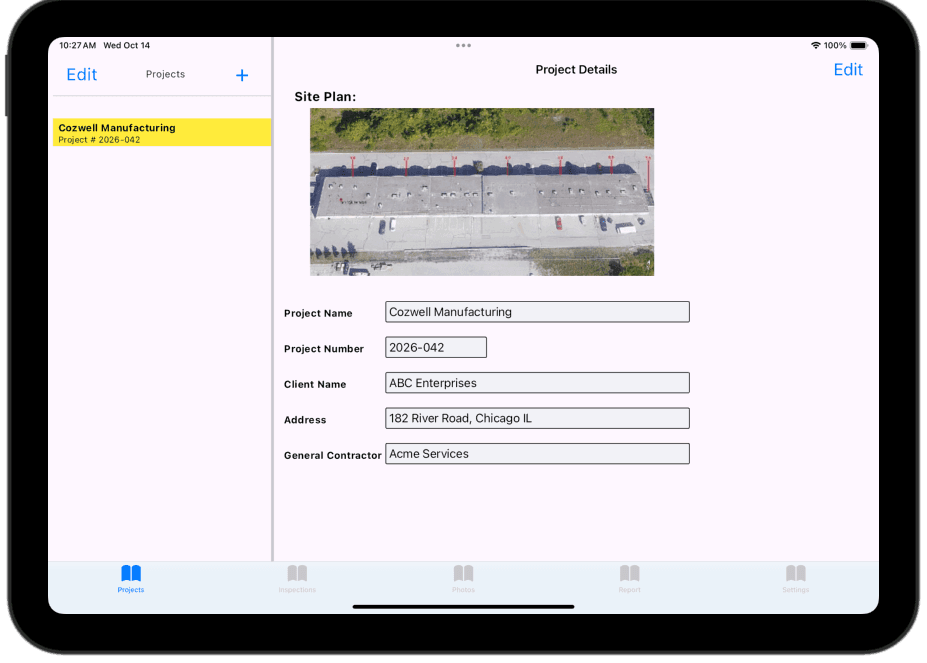
Add a project with project name, project number, owner, address, general contractor and upload a roof plan.
Forms can be customized with validations, select lists, calendars, checkboxes and rich text memos.
2. Capture inspection details on site
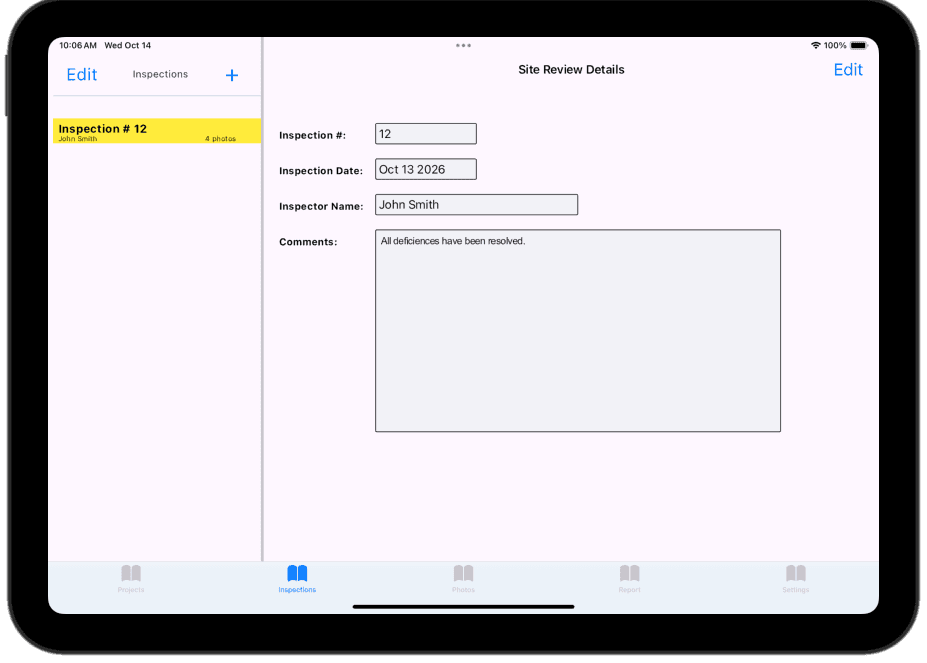
Add inspection details with inspection number within the project, inspection date, Inspector name and comments.
Unlimited additional fields can be added to describe roof construction, conditions and work deficiencies.
3. Take photos
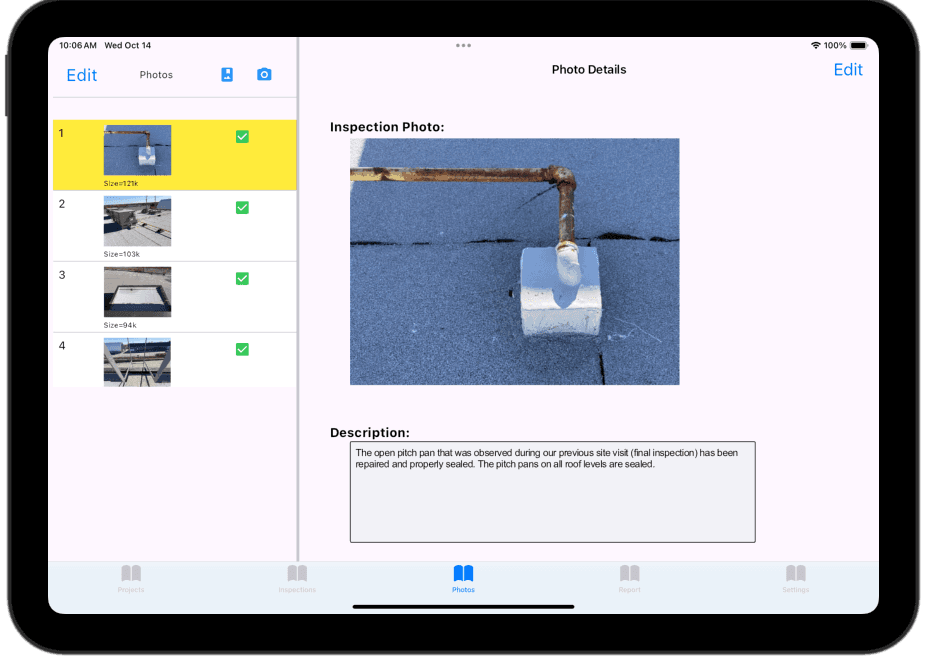
Add your inspection photos using the camera or import from the photo album. You can also work on a PC and upload photos. Photo can be re-ordered or removed from the report, and comments can be added for each photo.
4. Mark where each photo was taken
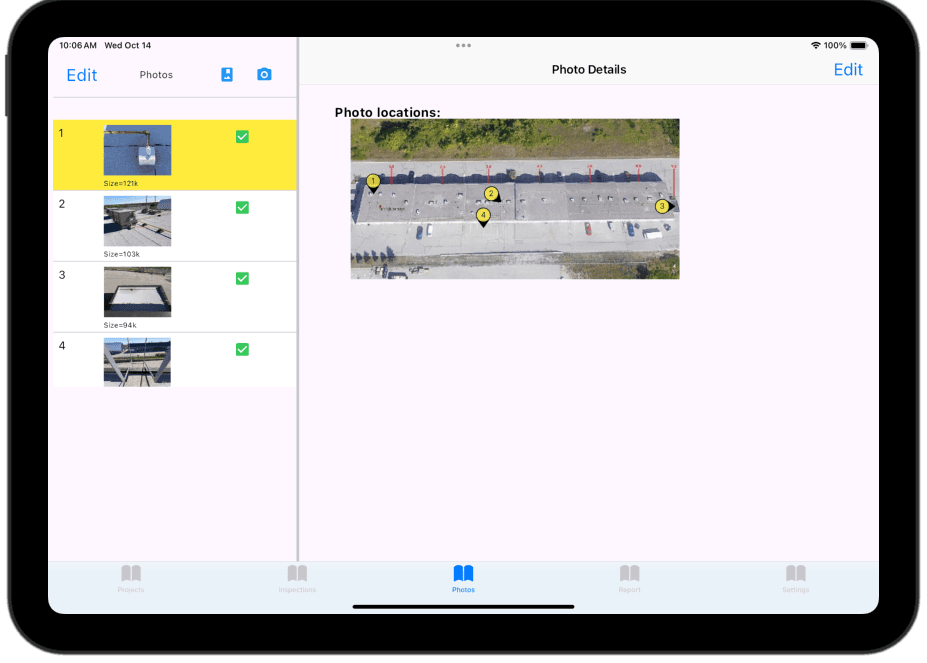
Photo location markers are dragged onto the roof plan, with an optional direction indicator.
5. Generate the report and send it from the site
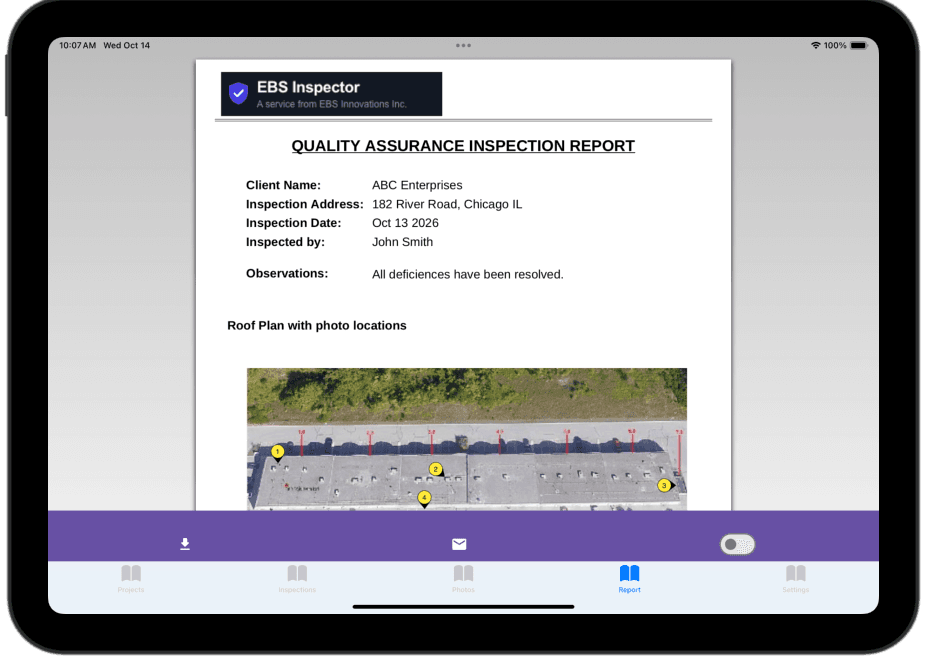
The project, inspection and photo inputs are combined into a branded and customized PDF report, which can be downloaded or Emailed. A distribution list can be added to the project form and used with each inspection.
Report content and format is completely customizable.
Click here to view a QA report we developed for Cloud 9 Building Sciences Inc.
To learn more about EBS-Inspector, please schedule a demo. Free trials available to qualified firms. Ask during your demo.